Build Online: Difference between revisions
UranusAgain (talk | contribs) No edit summary |
→Trivia: More info |
||
| (2 intermediate revisions by the same user not shown) | |||
| Line 1: | Line 1: | ||
Online | {{ImageNeeded|Direct IP images}} | ||
{{Incomplete|More information on direct IP rooms, link to more on direct IP process, relevant categories}} | |||
'''Online building''' is a feature in ''[[Mega Man Maker]]'' introduced in version [[1.6.0]]. It allows multiple players to build a level simultaneously and use a chat function to communicate during the process. | |||
To begin building with others, the Build Online button must be pressed in the editor. | To begin building with others, the Build Online button must be pressed in the [[Level Builder|editor]]. After inputting in their account password, the player is asked whether to host a lobby or join another player's lobby. The player can choose from one of two connection methods: server lobby or direct IP. | ||
During the level process, players may communicate by pressing T and typing a message. The owner of a lobby may also ban other players from a room by opening the player list and clicking the stop sign icon next to a player's name. | |||
In [[1.8.0]], the feature was disabled due to complications during development. It was reenabled in version [[1.8.3]]. | |||
==Server Lobby== | |||
When hosting a lobby, the player is required to set a room name, a player limit, whether joined players may edit or play the level, and whether a password is required. If a password is required, the code will be granted upon the lobby's creation. | |||
The | When selecting join, a list of lobbies to join is shown. Entries will show the owner's name, profile icon, lobby name, whether the lobby is password protected, and whether players who join may edit the level. The player may also join a lobby by typing the room ID | ||
==Trivia== | |||
*Since [[1.8.5]], an additional line of text shows up at the end of the "Connection successful! Receiving level data. This may take a minute, please wait..." screen when connecting to an online room that mentions out of 100 how much of the level's data has been downloaded. | |||
==Gallery== | |||
<gallery> | |||
Build_Online_Create_Room.png|Creating a room | |||
File:Build Online Join Room.png|Joining a room | |||
File:Build Online Server Lobby.png|Choosing a server lobby to join | |||
File:Build Online Server Lobby Room ID.png|Entering a room ID | |||
</gallery> | |||
Latest revision as of 16:36, 4 May 2025

|
This article needs an image or multiple images. Once suitable images are added to the appropriate section(s), remove this notice. Image(s) needed: Direct IP images |

|
This article is missing important information to be considered complete. You can expand on it by adding content to this page. Reason: More information on direct IP rooms, link to more on direct IP process, relevant categories |
Online building is a feature in Mega Man Maker introduced in version 1.6.0. It allows multiple players to build a level simultaneously and use a chat function to communicate during the process.
To begin building with others, the Build Online button must be pressed in the editor. After inputting in their account password, the player is asked whether to host a lobby or join another player's lobby. The player can choose from one of two connection methods: server lobby or direct IP.
During the level process, players may communicate by pressing T and typing a message. The owner of a lobby may also ban other players from a room by opening the player list and clicking the stop sign icon next to a player's name.
In 1.8.0, the feature was disabled due to complications during development. It was reenabled in version 1.8.3.
Server Lobby
When hosting a lobby, the player is required to set a room name, a player limit, whether joined players may edit or play the level, and whether a password is required. If a password is required, the code will be granted upon the lobby's creation.
When selecting join, a list of lobbies to join is shown. Entries will show the owner's name, profile icon, lobby name, whether the lobby is password protected, and whether players who join may edit the level. The player may also join a lobby by typing the room ID
Trivia
- Since 1.8.5, an additional line of text shows up at the end of the "Connection successful! Receiving level data. This may take a minute, please wait..." screen when connecting to an online room that mentions out of 100 how much of the level's data has been downloaded.
Gallery
-
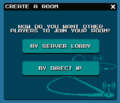 Creating a room
 -
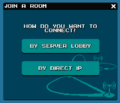 Joining a room
 -
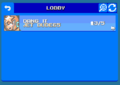 Choosing a server lobby to join
 -
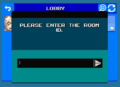 Entering a room ID


