Decorations: Difference between revisions

From MegaManMaker Wiki
Jump to navigation Jump to search
Split Upcoming section into Cosmetic and Collision, added layer column to Cosmetic table, changed some decoration names that are unconfirmed
 
(44 intermediate revisions by 4 users not shown)
Line 1: Line 1:
{{ImageNeeded|In-game images for all decorations}}
{{Incomplete|Spriter info for King and Stardroid Plates, Shadows, and miscellaneous decorations}}
{{Incomplete|Additional info, spriter info, etc.}}
{{ImageNeeded|In-game images, sprites and icons for all decorations. Missing decorations.}}
{{Upcoming Content}}
'''Decorations''' are a subcategory under [[Tilesets]] in the [[Level Builder]] consisting of cosmetic options to make levels appear more lively. Similar to tiles, some decorations may also contain collision properties.


The first type of decorations were [[Plates]] added in [[1.2.0]], however decorations were not given their own category until [[1.9.0]]. Decorations prior to version 1.9.0 were listed under the "Special" subcategory under the "Tilesets" category.


== Plates ==
==Plates==
{{Asset
{{Asset
|name=<center style="image-rendering:pixelated;">[[File:WilyPlateIcon.png|left]] Plate [[File:CossackPlateIcon.png|right]]</center>
|name=<center style="image-rendering:pixelated;">[[File:WilyPlateIcon.png|left]] Plate [[File:CossackPlateIcon.png|right]]</center>
|image=[[File:AllPlates.png|250px]]
|image=[[File:AllPlates.png|250px]]
|caption=All default plate variants in ''[[Mega Man Maker]]''
|caption=All default plate variants in ''[[Mega Man Maker]]''
|category=[[Tilesets]]
|category={{BuilderCategory|Tiles}}
|version=[[1.2.0]] (Wily, Cossack, Mr. X Plates)<br>
|tab={{BuilderTab|Decorations}}
[[1.5.0]] (Light, Right Plates)<br>
|version=[[1.2.0]] (Wily, Cossack, and Mr. X Plates)<br>[[1.5.0]] (Light Plates & Right Plates)<br>[[1.6.0]] (Wily Plate variants)<br>[[1.8.0]] (King Plates & Stardroid Plates)
[[1.6.0]] (Wily Plate variants)<br>
[[1.8.0]] (King, Stardroid Plates)
|space=2x2
|space=2x2
|layer={{Layer|6}}
|game=''[[Mega Man 2]]''
|game=''[[Mega Man 2]]''
|appears=''[[Mega Man 3]]''<br>
|appears=''[[Mega Man 3]]''<br>''[[Mega Man 4]]''<br>''[[Mega Man 5]]''<br>''[[Mega Man 6]]''<br>''[[Mega Man 8]]''<br>''[[Mega Man 9]]''<br>''[[Mega Man 10]]''<br>''[[Mega Man 11]]''<br>''[[Mega Man V]]''<br>''[[Mega Man & Bass]]''
''[[Mega Man 4]]''<br>
|programmer=[[WreckingPrograms]] (Wily Plate, Cossack Plate, & Mr. X Plate)<br>[[Luigi]] (Light Plate, Right Plate, King Plate, & Stardroid Plate)
''[[Mega Man 5]]''<br>
''[[Mega Man 6]]''<br>
''[[Mega Man 8]]''<br>
''[[Mega Man 10]]''<br>
''[[Mega Man 11]]''<br>
''[[Mega Man V]]''<br>
''[[Mega Man & Bass]]''
|programmer=[[WreckingPrograms]] (Wily Plate, Cossack Plate, Mr. X Plate)<br>[[Luigi]] (Light Plate, Right Plate, King Plate, Stardroid Plate)
|spriter=[[TimeLink]] (original draft for ''Mega Man 11'' Wily Plates)<br>[[FakeVirus]] (refined ''Mega Man 11'' Wily Plates)
|spriter=[[TimeLink]] (original draft for ''Mega Man 11'' Wily Plates)<br>[[FakeVirus]] (refined ''Mega Man 11'' Wily Plates)
|sprite=<center style="image-rendering:pixelated;">[[File:WilyPlate1.png]] [[File:CossackPlate1.png]] [[File:XPlate1.png]] [[File:LightPlate1.png]] [[File:RightPlate1.png]] [[File:KingPlate1.png]] [[File:StardroidPlate.png]]</center>
|sprite=<center style="image-rendering:pixelated;">[[File:WilyPlate1.png]] [[File:CossackPlate1.png]] [[File:XPlate1.png]] [[File:LightPlate1.png]] [[File:RightPlate1.png]] [[File:KingPlate1.png]] [[File:StardroidPlate.png]]</center>
}}
}}
''Note: Plates refer specifically to the villainous logos found at the end of stages.''
''For other decorations with Plate in the name, such as Shell Plate, see [[Decorations/Variants#Miscellaneous|the miscellaneous section of the variants subpage.]]''
'''Plates''' are 2x2 solid tiles featuring the names of the main antagonists across the ''Mega Man'' series. [[Dr. Wily|Wily]], [[Dr. Wily|Mr. X]], and [[Dr. Cossack|Cossack]] Plates were added to ''[[Mega Man Maker]]'' in version [[1.2.0]] with more plates and variants added in later versions.


As of version [[1.8.5.2]] of ''[[Mega Man Maker]]'', there are 80 plates in ''Mega Man Maker'':
===Variants===
*27 Wily Plates
As of version [[1.10.4.2]] of ''[[Mega Man Maker]]'', there are 85 plates in ''Mega Man Maker'':
*32 Wily Plates
*8 Cossack Plates
*8 Cossack Plates
*5 Mr. X Plates
*5 Mr. X Plates
Line 42: Line 37:
*9 Stardroid Plates
*9 Stardroid Plates


For additional information, see ''[[Plates]]''.
See [[Decorations/Variants#Plates|this]] for a list of all plate variants.


{{clr}}
{{clr}}


== Shadows ==
==Shadows==
{{Asset
{{Asset
|name=<center style="image-rendering:pixelated;">[[File:SprDropShadow 0.png|left]] Shadows [[File:SprPitShadow 0.png|right]]</center>
|name=<center style="image-rendering:pixelated;">[[File:SprDropShadow 0.png|left]] Shadows [[File:SprPitShadow 0.png|right]]</center>
|image=[[File:Shadows.png|250px]]
|image=[[File:Shadows.png|250px]]
|caption=All shadows ingame.
|caption=All shadows ingame.
|category=[[Tilesets]]
|category={{BuilderCategory|Tiles}}
|tab={{BuilderTab|Decorations}}
|version=[[1.5.0]] (Drop and Pit Shadows)<br>[[1.8.4]] (Wall, Corner and Full Shadows; additional options)
|version=[[1.5.0]] (Drop and Pit Shadows)<br>[[1.8.4]] (Wall, Corner and Full Shadows; additional options)
|space=1x1
|space=1x1
|layer={{Layer|2}}
|game=''[[Mega Man Maker]]''
|game=''[[Mega Man Maker]]''
|programmer=[[Luigi]]
|programmer=[[Luigi]]
Line 60: Line 57:
}}
}}
'''Shadows''' are a decoration type that add black shapes to the background where they are placed. Drop and Pit Shadows were added in [[1.5.0]], with Wall, Corner and Full Shadows and additional options added in [[1.8.4]].
Since version [[1.9.0]], shadows will have a gray dotted outline around them when the [[Level Builder]] grid outline is enabled.<ref>[https://discord.com/channels/328222878489247744/679001464823218186/1287884780053991519 Meka showcases the shadow grid outline feature in the Level Builder - #community_announcements channel in the ''Mega Man Maker'' Official Server]</ref>


===Variants===
===Variants===
{| class="wikitable plainrowheaders sortable"
See [[Decorations/Variants#Shadows|this]] for a list of all shadow variants.
|+ style="text-align:left"|
 
! scope="col" | Name
===Color options===
! scope="col" | Icon
Since [[1.9.0]], the player can choose between 56 colors for each shadow type by selecting a gear option icon.
! scope="col" | In-Game Description
 
! scope="col" | Orientation
[[File:ColorPalette.png]]
! scope="col" | Options
 
! scope="col" | Added in Version
|-
|Drop Shadow
|rowspan="1"|<center style="image-rendering:pixelated;">[[File:DropShadowIcon.png]]</center>
|For all those times when you need shadows under your platforms.
|rowspan="2"|N/A
|<center style="image-rendering:pixelated;">[[File:SprDropShadow 0.png]] [[File:SprDropShadow 1.png]] [[File:SprDropShadow 2.png]] [[File:SprDropShadow 3.png]] [[File:SprDropShadow 4.png]] [[File:SprDropShadow 5.png]] [[File:SprDropShadow 6.png]] [[File:SprDropShadow 7.png]] [[File:SprDropShadow 8.png]] [[File:SprDropShadow 9.png]] [[File:SprDropShadow 10.png]] [[File:SprDropShadow 11.png]] [[File:SprDropShadow 12.png]] </center>
|rowspan="2"|<center>[[1.5.0]] / </center><center>[[1.8.4]] (additional options)</center>
|-
|Pit Shadow
|rowspan="1"|<center style="image-rendering:pixelated;">[[File:PitShadowIcon.png]]</center>
|Used for indicating what's instant death and what's a safe passage.
|<center style="image-rendering:pixelated;">[[File:SprPitShadow 0.png]] [[File:SprPitShadow 1.png]] [[File:SprPitShadow 2.png]] [[File:SprPitShadow 3.png]] [[File:SprPitShadow 4.png]] [[File:SprPitShadow 5.png]] [[File:SprPitShadow 6.png]] [[File:SprPitShadow 7.png]] [[File:SprPitShadow 8.png]] [[File:SprPitShadow 9.png]] [[File:SprPitShadow 10.png]] [[File:SprPitShadow 11.png]] [[File:SprPitShadow 12.png]] </center>
|-
|rowspan="2"|Wall Shadow
|rowspan="2"|<center style="image-rendering:pixelated;">[[File:WallShadowIcon.png]]</center>
|rowspan="2"|For accenting walls, also for hiding stains.
|Right
|<center style="image-rendering:pixelated;">[[File:SprWallShadowRight 0.png]] [[File:SprWallShadowRight 1.png]] [[File:SprWallShadowRight 2.png]] [[File:SprWallShadowRight 3.png]] [[File:SprWallShadowRight 4.png]] [[File:SprWallShadowRight 5.png]] [[File:SprWallShadowRight 6.png]] [[File:SprWallShadowRight 7.png]] [[File:SprWallShadowRight 8.png]] [[File:SprWallShadowRight 9.png]] [[File:SprWallShadowRight 10.png]] [[File:SprWallShadowRight 11.png]] [[File:SprWallShadowRight 12.png]] </center>
|rowspan="11"|<center>[[1.8.4]]</center>
|-
|Left
|<center style="image-rendering:pixelated;">[[File:SprWallShadowLeft 0.png]] [[File:SprWallShadowLeft 1.png]] [[File:SprWallShadowLeft 2.png]] [[File:SprWallShadowLeft 3.png]] [[File:SprWallShadowLeft 4.png]] [[File:SprWallShadowLeft 5.png]] [[File:SprWallShadowLeft 6.png]] [[File:SprWallShadowLeft 7.png]] [[File:SprWallShadowLeft 8.png]] [[File:SprWallShadowLeft 9.png]] [[File:SprWallShadowLeft 10.png]] [[File:SprWallShadowLeft 11.png]] [[File:SprWallShadowLeft 12.png]] </center>
|-
|rowspan="4"|Corner Shadow (Inner)
|rowspan="4"|<center style="image-rendering:pixelated;">[[File:CornerShadowInnerIcon.png]]</center>
|rowspan="4"|For connecting vertical and horizontal shadows.
|Top right
|<center style="image-rendering:pixelated;">[[File:SprCornerShadowInnerTopRight 0.png]] [[File:SprCornerShadowInnerTopRight 1.png]] [[File:SprCornerShadowInnerTopRight 2.png]] [[File:SprCornerShadowInnerTopRight 3.png]] [[File:SprCornerShadowInnerTopRight 4.png]] [[File:SprCornerShadowInnerTopRight 5.png]] [[File:SprCornerShadowInnerTopRight 6.png]] [[File:SprCornerShadowInnerTopRight 7.png]] [[File:SprCornerShadowInnerTopRight 8.png]] [[File:SprCornerShadowInnerTopRight 9.png]] [[File:SprCornerShadowInnerTopRight 10.png]] [[File:SprCornerShadowInnerTopRight 11.png]] [[File:SprCornerShadowInnerTopRight 12.png]] </center>
|-
|Top left
|<center style="image-rendering:pixelated;">[[File:SprCornerShadowInnerTopLeft 0.png]] [[File:SprCornerShadowInnerTopLeft 1.png]] [[File:SprCornerShadowInnerTopLeft 2.png]] [[File:SprCornerShadowInnerTopLeft 3.png]] [[File:SprCornerShadowInnerTopLeft 4.png]] [[File:SprCornerShadowInnerTopLeft 5.png]] [[File:SprCornerShadowInnerTopLeft 6.png]] [[File:SprCornerShadowInnerTopLeft 7.png]] [[File:SprCornerShadowInnerTopLeft 8.png]] [[File:SprCornerShadowInnerTopLeft 9.png]] [[File:SprCornerShadowInnerTopLeft 10.png]] [[File:SprCornerShadowInnerTopLeft 11.png]] [[File:SprCornerShadowInnerTopLeft 12.png]] </center>
|-
|Bottom right
|<center style="image-rendering:pixelated;">[[File:SprCornerShadowInnerBottomRight 0.png]] [[File:SprCornerShadowInnerBottomRight 1.png]] [[File:SprCornerShadowInnerBottomRight 2.png]] [[File:SprCornerShadowInnerBottomRight 3.png]] [[File:SprCornerShadowInnerBottomRight 4.png]] [[File:SprCornerShadowInnerBottomRight 5.png]] [[File:SprCornerShadowInnerBottomRight 6.png]] [[File:SprCornerShadowInnerBottomRight 7.png]] [[File:SprCornerShadowInnerBottomRight 8.png]] [[File:SprCornerShadowInnerBottomRight 9.png]] [[File:SprCornerShadowInnerBottomRight 10.png]] [[File:SprCornerShadowInnerBottomRight 11.png]] [[File:SprCornerShadowInnerBottomRight 12.png]] </center>
|-
|Bottom left
|<center style="image-rendering:pixelated;">[[File:SprCornerShadowInnerBottomLeft 0.png]] [[File:SprCornerShadowInnerBottomLeft 1.png]] [[File:SprCornerShadowInnerBottomLeft 2.png]] [[File:SprCornerShadowInnerBottomLeft 3.png]] [[File:SprCornerShadowInnerBottomLeft 4.png]] [[File:SprCornerShadowInnerBottomLeft 5.png]] [[File:SprCornerShadowInnerBottomLeft 6.png]] [[File:SprCornerShadowInnerBottomLeft 7.png]] [[File:SprCornerShadowInnerBottomLeft 8.png]] [[File:SprCornerShadowInnerBottomLeft 9.png]] [[File:SprCornerShadowInnerBottomLeft 10.png]] [[File:SprCornerShadowInnerBottomLeft 11.png]] [[File:SprCornerShadowInnerBottomLeft 12.png]] </center>
|-
|rowspan="4"|Corner Shadow (Outter)<ref name = "outer">Although the correct spelling is "outer", as of version [[1.8.5.2]] the name of this shadow is written as "outter" in ''[[Mega Man Maker]]''</ref>
|rowspan="4"|<center style="image-rendering:pixelated;">[[File:CornerShadowOutterIcon.png]]</center>
|rowspan="4"|Make just a detail with shadows.
|Top right
|<center style="image-rendering:pixelated;">[[File:SprCornerShadowOutterTopRight 0.png]] [[File:SprCornerShadowOutterTopRight 1.png]] [[File:SprCornerShadowOutterTopRight 2.png]] [[File:SprCornerShadowOutterTopRight 3.png]] [[File:SprCornerShadowOutterTopRight 4.png]] [[File:SprCornerShadowOutterTopRight 5.png]] [[File:SprCornerShadowOutterTopRight 6.png]] [[File:SprCornerShadowOutterTopRight 7.png]] [[File:SprCornerShadowOutterTopRight 8.png]] [[File:SprCornerShadowOutterTopRight 9.png]] [[File:SprCornerShadowOutterTopRight 10.png]] [[File:SprCornerShadowOutterTopRight 11.png]] [[File:SprCornerShadowOutterTopRight 12.png]] </center>
|-
|Top left
|<center style="image-rendering:pixelated;">[[File:SprCornerShadowOutterTopLeft 0.png]] [[File:SprCornerShadowOutterTopLeft 1.png]] [[File:SprCornerShadowOutterTopLeft 2.png]] [[File:SprCornerShadowOutterTopLeft 3.png]] [[File:SprCornerShadowOutterTopLeft 4.png]] [[File:SprCornerShadowOutterTopLeft 5.png]] [[File:SprCornerShadowOutterTopLeft 6.png]] [[File:SprCornerShadowOutterTopLeft 7.png]] [[File:SprCornerShadowOutterTopLeft 8.png]] [[File:SprCornerShadowOutterTopLeft 9.png]] [[File:SprCornerShadowOutterTopLeft 10.png]] [[File:SprCornerShadowOutterTopLeft 11.png]] [[File:SprCornerShadowOutterTopLeft 12.png]] </center>
|-
|Bottom right
|<center style="image-rendering:pixelated;">[[File:SprCornerShadowOutterBottomRight 0.png]] [[File:SprCornerShadowOutterBottomRight 1.png]] [[File:SprCornerShadowOutterBottomRight 2.png]] [[File:SprCornerShadowOutterBottomRight 3.png]] [[File:SprCornerShadowOutterBottomRight 4.png]] [[File:SprCornerShadowOutterBottomRight 5.png]] [[File:SprCornerShadowOutterBottomRight 6.png]] [[File:SprCornerShadowOutterBottomRight 7.png]] [[File:SprCornerShadowOutterBottomRight 8.png]] [[File:SprCornerShadowOutterBottomRight 9.png]] [[File:SprCornerShadowOutterBottomRight 10.png]] [[File:SprCornerShadowOutterBottomRight 11.png]] [[File:SprCornerShadowOutterBottomRight 12.png]] </center>
|-
|Bottom left
|<center style="image-rendering:pixelated;">[[File:SprCornerShadowOutterBottomLeft 0.png]] [[File:SprCornerShadowOutterBottomLeft 1.png]] [[File:SprCornerShadowOutterBottomLeft 2.png]] [[File:SprCornerShadowOutterBottomLeft 3.png]] [[File:SprCornerShadowOutterBottomLeft 4.png]] [[File:SprCornerShadowOutterBottomLeft 5.png]] [[File:SprCornerShadowOutterBottomLeft 6.png]] [[File:SprCornerShadowOutterBottomLeft 7.png]] [[File:SprCornerShadowOutterBottomLeft 8.png]] [[File:SprCornerShadowOutterBottomLeft 9.png]] [[File:SprCornerShadowOutterBottomLeft 10.png]] [[File:SprCornerShadowOutterBottomLeft 11.png]] [[File:SprCornerShadowOutterBottomLeft 12.png]] </center>
|-
|Full Shadow
|<center style="image-rendering:pixelated;">[[File:FullShadowIcon.png]]</center>
|For when you need complete darkness. Good for detailing backgrounds.
|colspan="2"|<center>N/A</center>
|}
{{clr}}
{{clr}}


== Sun Rays ==
==Sun Rays==
{{Asset
{{Asset
|name=<center style="image-rendering:pixelated;">[[File:SunRaysIcon.png|left]] Sun Rays [[File:SunRaysIcon.png|right]]</center>
|name=<center style="image-rendering:pixelated;">[[File:SunRaysIcon.png|left]] Sun Rays [[File:SunRaysIcon.png|right]]</center>
Line 136: Line 76:
|caption=Sun Rays on various types of [[water]].
|caption=Sun Rays on various types of [[water]].
|description=Makes the top of your waters look cooler in the section.
|description=Makes the top of your waters look cooler in the section.
|category=[[Tilesets]]
|category={{BuilderCategory|Tiles}}
|tab={{BuilderTab|Decorations}}
|version=[[1.8.3]]
|version=[[1.8.3]]
|space=1x1
|space=1x1
|layer={{Layer|5}}
|programmer=[[Meka]]
|programmer=[[Meka]]
|spriter=?
|spriter=[[GamerFromTheWeb]] (icon)
|game=''[[Mega Man Maker]]''
|game=''[[Mega Man Maker]]''
|sprite=<center style="image-rendering:pixelated;">[[File:SunRaysIcon.png]]</center>
|sprite=<center style="image-rendering:pixelated;">[[File:SunRaysIcon.png]]</center>
Line 146: Line 88:
'''Sun Rays''' are a decoration type added in [[1.8.3]].


When placed in a room, all [[water]] on screen will be given a shine effect, simulating sunlight.
When placed in a room, all [[water]] (including [[Section Wide Liquid]] set to water) on screen will be given a shine effect, simulating sunlight. However, it does not work for [[Chemical Solution]], [[Burst Water]] or their Section Wide Liquid variants.
{{clr}}
{{clr}}


== Plushies ==
==Miscellaneous==
{{Asset
See [[Decorations/Variants#Miscellaneous|this]] for a list of all miscellaneous decorations.
|name=<center style="image-rendering:pixelated;">[[File:TBAIcon.png|left]] Plushies [[File:TBAIcon.png|right]]</center>
|image=[[File:Plushies.png|250px]]
|caption=The various Plushies available in ''[[Mega Man Maker]]''
|description=TBA
|category=[[Tilesets]]
|version=[[1.9.0]]
|space=TBA
|programmer=[[Meka]]
|spriter=[[Son Loto]]
|game=''[[Mega Man 8]]''
|sprite=[[File:MegaManPlushie.png]] [[File:WilyPlushie.png]] [[File:SheepManPlushie.png]] [[File:IceManPlushie.png]]
}}
'''Plushies''' are a decoration type added in [[1.9.0]]. Although only the [[Ice Man]] plushie appeared in Clown Man's stage in ''[[Mega Man 8]]'', plushies for various characters such as Robot Master bosses, [[enemies]] and [[|Playable Characters|playable characters]] are also included in ''[[Mega Man Maker]]''.


The majority of plushies are cosmetic decorations that can be knocked around by attacking them by [[weapons]] such as [[Mega Buster]] or [[Mega Ball]]'s kick and interact with gimmicks such as [[Bouncy Ball]]s and [[Astro Button]]s. However, some feature unique functionality and are listed below.
==Fixed Bugs==
*Prior to version [[1.8.4]], placing Sun Rays on the corner of a section would not make it work.
*In version 1.9.0, Sun Rays would act as an invisible solid in play.
**Although this bug was fixed in [[1.9.1]], playing levels with Sun Rays placed in 1.9.0 would crash the level in 1.9.1 or [[1.9.1.1]]. This was later fixed in [[1.9.2]].
*Prior to version [[1.9.2]]:
**Sun Rays would appear in front of [[Section Chemical Solution]] and [[Section Burst Water]].
**''[[Mega Man 1|MM1]]'' Statue would appear above [[Turbo Crate]]s and [[Modifiers|Health and Weapon Energy Modifiers]] in play when they would appear behind them in the [[Level Builder]].
**''[[Mega Man 1|MM1]]'' Statue would appear in front of a number of assets such as [[spikes]] and many [[level objects]].
*Prior to version [[1.9.4]], Sun Rays would crash the game when active with [[Section Wide Liquid]] set to water.


{| class="wikitable plainrowheaders sortable"
==Trivia==
|+ style="text-align:left"|
*For decorations added in version [[1.9.0]], [[Luigi]] assisted [[Meka]] by ripping the sprites from their source games.
! scope="col" | Sprite
*Conditions for placing certain decorations (such as the Crash Orb and the Water Pressure) were removed in version [[1.9.2]].
! scope="col" | Character
*[[JumpDashEvade]]'s Arctic Man from his fangame ''Mega Man:W'' makes a cameo appearance as a Snow Man Decoration variant.
! scope="col" | Special Functionality
*The Graffiti alt that depicts Gamma's head was added due to Gamma decorations being showcased during the reveal trailer for Mega Man Dual Override, which released during the development of the patch that added it.
|-
|<center>[[File:TBAIcon.png]]</center>
|[[Cut Man]]
|None
|-
|<center>[[File:TBAIcon.png]]</center>
|[[Mega Man]]
|Changes color to match that player's currently selected [[Weapons|weapon]].
|-
|<center>[[File:TBAIcon.png]]</center>
|[[Dr. Wily]]
|None
|-
|<center>[[File:TBAIcon.png]]</center>
|[[Big Fish]]
|Floats on [[water]] and bounces off walls while doing so.
|-
|<center>[[File:TBAIcon.png]]</center>
|[[Sheep Man]]
|Activates electric gimmicks, such as [[Fuse Rail]]s.
|-
|<center>[[File:TBAIcon.png]]</center>
|[[Galaxy Man]]
|Has low gravity, and flies further when attacked.
|-
|<center>[[File:TBAIcon.png]]</center>
|[[Ice Man]]
|Creates small Freeze Man ice platforms when on the surface of water and prevents ice platforms from breaking if on one.
|-
|}
{{clr}}
== Cosmetic ==
The following decorations are purely cosmetic and have no special functionality. They may appear in the foreground or background of the level.
{| class="wikitable plainrowheaders sortable"
|+ style="text-align:left"|
! scope="col" | Icon
! scope="col" | Decoration
! scope="col" | Layer
! scope="col" | Stage of Origin
! scope="col" | Game of Origin
! scope="col" | Spriter(s)
! scope="col" | Programmer(s)
! scope="col" | Notes
|-
|<center style="image-rendering:pixelated;">[[File:TBAIcon.png]]</center>
|Guts Man fence<ref name="unconfirmed">Decoration name not confirmed</ref>
|Background
|Guts Man
|rowspan="3"|<center>''[[Mega Man 1|Mega Man]]''</center>
|<center>N/A
|<center>?</center>
|-
|<center style="image-rendering:pixelated;">[[File:TBAIcon.png]]</center>
|Bushes
|Background
|Wily Fortress stage 1
|<center>N/A
|rowspan="3"|<center>[[Meka]]</center>
|Three color variants: light green, green, and orange
|-
|<center style="image-rendering:pixelated;">[[File:TBAIcon.png]]</center>
|[[Fire Man]] Fence
|Foreground
|[[Fire Man]]
|<center>N/A
|-
|<center style="image-rendering:pixelated;">[[File:TBAIcon.png]]</center>
|Statues of Robot Masters<ref name="unconfirmed"/>
|Background
|Wily Fortress stage 4 (Guts Man statue)
|<center>''[[Mega Man 1|Mega Man]]'' /</center><center>''[[Mega Man Powered Up]]''</center>
|<center>[[Sodacoma]] ([[Time Man]] pose)<br>[[GamerFromTheWeb]] (shading, Oil Man and Bond Man sprites)
|Including both initial concept art and Hitoshi Ariga's design of Bond Man
|-
|<center style="image-rendering:pixelated;">[[File:TBAIcon.png]]</center>
|Fizzle<ref name="unconfirmed"/>
|Background
|[[Bubble Man]]
|<center>''[[Mega Man 2]]''</center>
|<center>N/A</center>
|<center>?</center>
|-
|<center style="image-rendering:pixelated;">[[File:TBAIcon.png]]</center>
|Napalm Grass
|Background
|[[Napalm Man]]
|<center>''[[Mega Man 5]]''</center>
|<center>N/A</center>
|<center>[[Meka]]</center>
|-
|<center style="image-rendering:pixelated;">[[File:TBAIcon.png]]</center>
|[[Dr. Wily|Mr. X]] fence<ref name="unconfirmed"/>
|Foreground
|Mr. X Castle stage 2
|<center>''[[Mega Man 6]]''</center>
|<center>N/A</center>
|<center>?</center>
|-
|<center style="image-rendering:pixelated;">[[File:TBAIcon.png]]</center>
|Chains<ref name="unconfirmed"/>
|Background
|rowspan="4"|[[Shade Man]]
|rowspan="5"|<center>''[[Mega Man 7]]''</center>
|<center>?</center>
|<center>?</center>
|-
|<center style="image-rendering:pixelated;">[[File:TBAIcon.png]]</center>
|Cobwebs<ref name="unconfirmed"/>
|Background
|<center>?</center>
|<center>?</center>
|-
|<center style="image-rendering:pixelated;">[[File:TBAIcon.png]]</center>
|Press chains<ref name="unconfirmed"/>
|Background
|<center>?</center>
|<center>?</center>
|-
|<center style="image-rendering:pixelated;">[[File:TBAIcon.png]]</center>
|Creature<ref name="unconfirmed"/>
|Background
|<center>?</center>
|<center>?</center>
|Unused mid-boss
|-
|<center style="image-rendering:pixelated;">[[File:TBAIcon.png]]</center>
|Bone pillars<ref name="unconfirmed"/>
|Foreground
|rowspan="1"|[[Freeze Man]]
|<center>?</center>
|<center>?</center>
|-
|<center style="image-rendering:pixelated;">[[File:TBAIcon.png]]</center>
|Fans<ref name="unconfirmed"/>
|Background
|Tengu Man
|<center>''[[Mega Man & Bass]]''</center>
|<center>?</center>
|<center>?</center>
|-
|<center style="image-rendering:pixelated;">[[File:TBAIcon.png]]</center>
|Waterfalls<ref name="unconfirmed"/>
|Foreground
|[[Concrete Man]]
|rowspan="3"|<center>''[[Mega Man 9]]''</center>
|<center>N/A</center>
|<center>?</center>
|-
|<center style="image-rendering:pixelated;">[[File:TBAIcon.png]]</center>
|Fake Man Fence<ref name="unconfirmed"/>
|Background
|Fake Man
|<center>N/A</center>
|<center>?</center>
|-
|<center style="image-rendering:pixelated;">[[File:TBAIcon.png]]</center>
|Hornet Flower
|Background
|Hornet Man
|<center>N/A</center>
|rowspan="6"|<center>[[Meka]]</center>
|-
|<center style="image-rendering:pixelated;">[[File:TBAIcon.png]]</center>
|Tundra Light post
|Background
|Tundra Man
|rowspan="2"|<center>''[[Mega Man 11]]''</center>
|<center>[[GamerFromTheWeb]]</center>
|-
|<center style="image-rendering:pixelated;">[[File:TBAIcon.png]]</center>
|Torch Grass
|Foreground
|Torch Man
|<center>?</center>
|}


== Collision==
==Gallery==
The following decorations have collision properties similar to [[tilesets]].
<gallery>
{| class="wikitable plainrowheaders sortable"
File:ArticManCameo.png|The "Arctic Man" Easter Egg in Mega Man Maker. An option of the Snow Man Decoration.  
|+ style="text-align:left"|
</gallery>
! scope="col" | Icon
! scope="col" | Decoration
! scope="col" | Stage of Origin
! scope="col" | Game of Origin
! scope="col" | Spriter(s)
! scope="col" | Programmer(s)
! scope="col" | Notes
|-
|<center style="image-rendering:pixelated;">[[File:TBAIcon.png]]</center>
|Water pump<ref name="unconfirmed"/>
|Wily Fortress stage 1
|<center>''[[Mega Man 3]]''</center>
|<center>N/A</center>
|<center>?</center>
|Only blue variant shown thus far
|-
|<center style="image-rendering:pixelated;">[[File:TBAIcon.png]]</center>
|Tires<ref name="unconfirmed"/>
|Turbo Man
|rowspan="2"|<center>''[[Mega Man 7]]''</center>
|<center>?</center>
|<center>?</center>
|-
|<center style="image-rendering:pixelated;">[[File:TBAIcon.png]]</center>
|Spines<ref name="unconfirmed"/>
|[[Freeze Man]]
|<center>?</center>
|<center>?</center>
|-
|<center style="image-rendering:pixelated;">[[File:TBAIcon.png]]</center>
|Clown House
|Clown Man
|<center>''[[Mega Man 8]]''</center>
|<center>[[Son Loto]]</center>
|rowspan="4"|<center>[[Meka]]</center>
|-
|<center style="image-rendering:pixelated;">[[File:TBAIcon.png]]</center>
|rowspan="3"|Boxes
|[[Charge Man]]
|<center>''[[Mega Man 5]]''</center>
|rowspan="4"|<center>[[Son Loto]]</center>
|Box variants of the green background at the start of Charge Man's stage
|-
|<center style="image-rendering:pixelated;">[[File:TBAIcon.png]]</center>
|Turbo Man
|<center>''[[Mega Man 7]]''</center>
|Purple variant is unique to ''Mega Man Maker''
|-
|<center style="image-rendering:pixelated;">[[File:TBAIcon.png]]</center>
|Impact Man
|<center>''[[Mega Man 11]]''</center>
|}


==Footnotes==
<references/>
[[Category:Decorations]]
[[Category:Decorations]]

Latest revision as of 21:17, 1 March 2026

This article is missing important information to be considered complete.
You can expand on it by adding content to this page.
Reason: Spriter info for King and Stardroid Plates, Shadows, and miscellaneous decorations
This article needs an image or multiple images.
Once suitable images are added to the appropriate section(s), remove this notice.
Image(s) needed: In-game images, sprites and icons for all decorations. Missing decorations.

Decorations are a subcategory under Tilesets in the Level Builder consisting of cosmetic options to make levels appear more lively. Similar to tiles, some decorations may also contain collision properties.

The first type of decorations were Plates added in 1.2.0, however decorations were not given their own category until 1.9.0. Decorations prior to version 1.9.0 were listed under the "Special" subcategory under the "Tilesets" category.

Plates

Plate
All default plate variants in Mega Man Maker
Information
Level Builder
Category: Tilesets
Tab: Decorations
Builder space: 2x2
Layer: 6 - Close front
Game information
Added in version: 1.2.0 (Wily, Cossack, and Mr. X Plates)
1.5.0 (Light Plates & Right Plates)
1.6.0 (Wily Plate variants)
1.8.0 (King Plates & Stardroid Plates)
Series information
Game of origin: Mega Man 2
Other appearances: Mega Man 3
Mega Man 4
Mega Man 5
Mega Man 6
Mega Man 8
Mega Man 9
Mega Man 10
Mega Man 11
Mega Man V
Mega Man & Bass
Development
Programmer(s): WreckingPrograms (Wily Plate, Cossack Plate, & Mr. X Plate)
Luigi (Light Plate, Right Plate, King Plate, & Stardroid Plate)
Spriter(s): TimeLink (original draft for Mega Man 11 Wily Plates)
FakeVirus (refined Mega Man 11 Wily Plates)

Note: Plates refer specifically to the villainous logos found at the end of stages.

For other decorations with Plate in the name, such as Shell Plate, see the miscellaneous section of the variants subpage.

Plates are 2x2 solid tiles featuring the names of the main antagonists across the Mega Man series. Wily, Mr. X, and Cossack Plates were added to Mega Man Maker in version 1.2.0 with more plates and variants added in later versions.

Variants

As of version 1.10.4.2 of Mega Man Maker, there are 85 plates in Mega Man Maker:

  • 32 Wily Plates
  • 8 Cossack Plates
  • 5 Mr. X Plates
  • 8 Light Plates
  • 8 Right Plates
  • 15 King Plates
  • 9 Stardroid Plates

See this for a list of all plate variants.


Shadows

Shadows
All shadows ingame.
Information
Level Builder
Category: Tilesets
Tab: Decorations
Builder space: 1x1
Layer: 2 - Shadows
Game information
Added in version: 1.5.0 (Drop and Pit Shadows)
1.8.4 (Wall, Corner and Full Shadows; additional options)
Series information
Game of origin: Mega Man Maker
Development
Programmer(s): Luigi
Spriter(s): ?

Shadows are a decoration type that add black shapes to the background where they are placed. Drop and Pit Shadows were added in 1.5.0, with Wall, Corner and Full Shadows and additional options added in 1.8.4.

Since version 1.9.0, shadows will have a gray dotted outline around them when the Level Builder grid outline is enabled.[1]

Variants

See this for a list of all shadow variants.

Color options

Since 1.9.0, the player can choose between 56 colors for each shadow type by selecting a gear option icon.


Sun Rays

Sun Rays
Sun Rays on various types of water.
Information
Level Builder
Description: Makes the top of your waters look cooler in the section.
Category: Tilesets
Tab: Decorations
Builder space: 1x1
Layer: 5 - Main elements
Game information
Added in version: 1.8.3
Series information
Game of origin: Mega Man Maker
Development
Programmer(s): Meka
Spriter(s): GamerFromTheWeb (icon)

Sun Rays are a decoration type added in 1.8.3.

When placed in a room, all water (including Section Wide Liquid set to water) on screen will be given a shine effect, simulating sunlight. However, it does not work for Chemical Solution, Burst Water or their Section Wide Liquid variants.

Miscellaneous

See this for a list of all miscellaneous decorations.

Fixed Bugs

Trivia

  • For decorations added in version 1.9.0, Luigi assisted Meka by ripping the sprites from their source games.
  • Conditions for placing certain decorations (such as the Crash Orb and the Water Pressure) were removed in version 1.9.2.
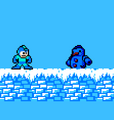
  • JumpDashEvade's Arctic Man from his fangame Mega Man:W makes a cameo appearance as a Snow Man Decoration variant.
  • The Graffiti alt that depicts Gamma's head was added due to Gamma decorations being showcased during the reveal trailer for Mega Man Dual Override, which released during the development of the patch that added it.